
- Applications
- Tools
Game Hub: Game Assistant & HUD


View the antivirus scan results
Images


Introduction
More Info
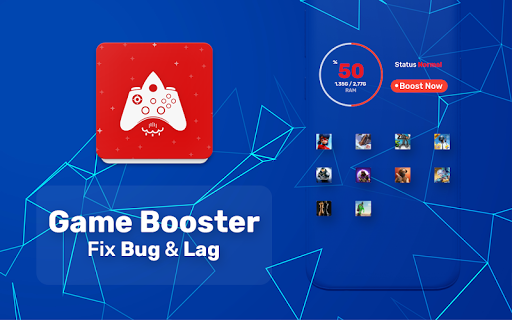
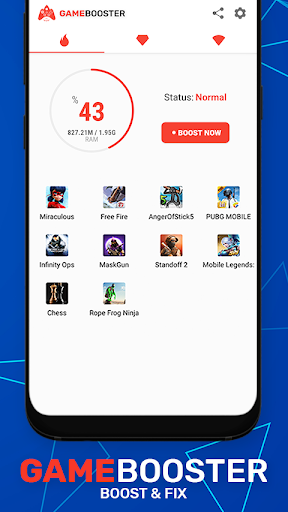
See exactly what happens every time you play. Every FPS drop, every ping spike, every gaming session. Game Assistant combines a powerful GameHub launcher, Instant Pulse HUD, Game Insights, Graphic recommendations, and Game Assistant Tools to help you understand how your device performs while gaming.
⚡ Instant Pulse HUD
Instant Pulse HUD is a lightweight floating overlay for live FPS and ping monitoring while you play. It stays on screen without interrupting your game, making frame drops and latency spikes visible the moment they happen.
Every gaming session is recorded automatically in the background. When the match ends, your Game Insight is already waiting—no screenshots, no notes, and nothing to remember.
📊 Game Insights
Every game launched through GameHub creates its own Game Insight. Instead of looking at a single match, you build a complete performance history for every game you play.
Review your overall performance, frame rate, network latency, memory usage, average hourly battery consumption, session duration, and recent sessions. Compare today's results with previous sessions to see how game updates, device changes, or background activity affect performance over time.
🛠️ Graphic Configuration Tips
Graphics settings don't behave the same on every device. Game Assistant analyzes your hardware and current device condition, then suggests graphic settings for supported games, including frame rate, resolution, shadow quality, and other graphics options.
Nothing is changed automatically. Review the recommendations and apply the settings yourself inside the game.
🎮 Game Assistant Controller
Monitor GPU load, device temperature, frame rate, and other performance indicators from a single screen while you play, making it easier to understand what's affecting your gaming experience.
🌐 Ping Monitoring
Monitor your ping throughout every gaming session. Connection changes are recorded as they happen, helping you identify latency spikes before they affect your gameplay.
🚀 FPS Tracker
Track your live FPS throughout every gaming session. Frame drops are captured instantly, giving you a clear view of when and where performance begins to decline.
🕹️ Game Hub
Keep every installed game in one place and launch your favorites with a single tap through Game Hub.
⚡ Reflex Rush
Take a quick break between matches with Reflex Rush, a built-in mini-game designed to test your reaction speed.
ℹ️ Please note: Game Assistant is a game launcher and device monitoring tool. It measures FPS, ping, GPU activity, and battery usage while providing graphic recommendations for supported games. It operates solely as an informational assistant and does not alter any system or game files.
User Reviews - 42 Rates
4.4 from 5
5
4
3
2
1

علی
بد

bardia.lexer
خوب

پویا
جون نت ملی است کار نمی کند
Related Applications







Users Also Installed

Skin Maker 3D for Minecraft
Tools

Screen Recorder VRecorder Lite
Photography

Mehndi Designs Latest 2024
Entertainment

Football Squad Builder
Sports
App Lock - Lock Apps
Tools
Total Cleaner Lite: Full clean
Tools

Profile Picture Downloader for Instagram
Social

PIP 3D collage
Personalization

Game Booster Fire GFX- Fix Lag
Books & Reference

Game Booster Power GFX Lag Fix
Books & Reference
Similar Applications

SMS text messaging
Social

English Listening & Speaking
Education

Photo Editor for Kids: Frames
Photography

Echo Voice Recorder
Entertainment
GPS Locations
Maps & Navigation

GoDaddy: Websites & Marketing
Entertainment

Emoji girly stickers - WAstickerapps
Education

Sticker Maker for WhatsApp
Personalization

Towing Race
Education

Dr. Booster - Boost Game Speed
Tools