- Applications
- Tools
ContactsXL: Backup & Restore

| Install | 4.9 K |
| From 5 Rates | 4.2 |
| Category | Tools |
| Size | 81 MB |
| Last Update | 2026 June 16 |

| Install | 4.9 K |
| From 5 Rates | 4.2 |
| Category | Tools |
| Size | 81 MB |
| Last Update | 2026 June 16 |
Images


Introduction
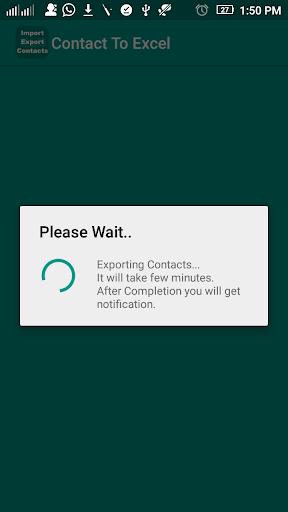
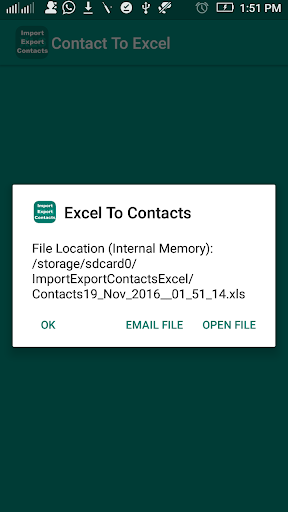
ContactsXL: Backup & Restore is the most complete contacts backup app for Android. Export all your contacts to Excel, PDF, CSV or VCF — and import them back with zero data loss.
Unlike other backup apps, ContactsXL saves ALL 28 contact fields including:
✅ Name, Nickname, Prefix & Suffix
✅ Phone 1, Phone 2, Phone 3 (with type)
✅ Email 1 & Email 2 (with type)
✅ Birthday & Anniversary
✅ Group Name & Account Name
✅ Company, Job Title & Department
✅ Full Address (Street, City, State, Postcode, Country)
✅ Website & IM Handle
✅ Notes
🔷 EXPORT FEATURES
- Export to Excel (.xlsx) — open in Google Sheets or Microsoft Excel
- Export to PDF — printable contact list
- Export to CSV — compatible with any spreadsheet app
- Export to VCF — standard vCard format for phone-to-phone transfer
- Export selected contacts or all contacts
- File saved to Downloads folder — share via WhatsApp, Gmail, Drive
🔷 IMPORT FEATURES
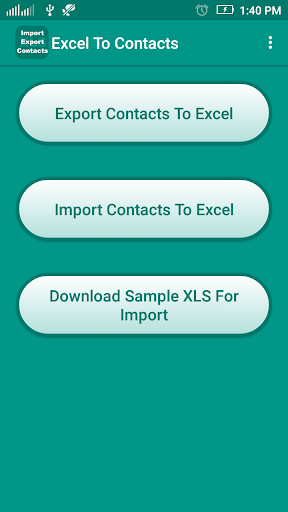
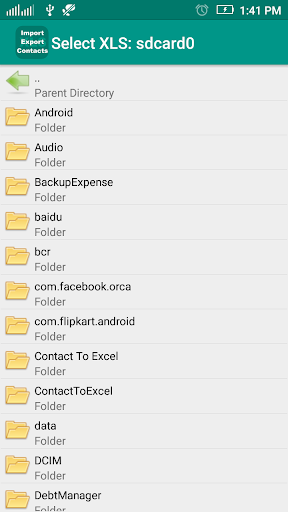
- Import contacts from Excel (.xlsx) files
- Smart auto-detection of column names
- Manual column mapping — fix mismatches before importing
- Preview file before importing
- Supports all 28 fields on import
- Contacts saved directly to your phone's address book
🔷 WHY CONTACTSXL?
- No cloud required — works 100% offline
- No data sent to any server — your contacts stay on your device
- Light & Dark mode supported
- Fast — loads 2000+ contacts in seconds
- Export history — view and re-share previous exports
- Sample Excel file included — to help you get the format right
🔷 PERFECT FOR
- Switching to a new phone
- Taking a backup before phone reset
- Sharing contacts with colleagues as Excel
- Cleaning up and organizing your address book
- Shopkeepers and businesses managing customer contacts
📥 Download ContactsXL today and never lose a contact again!
Note: This app requires access to your contacts to read and write contact information.


Related Applications








Users Also Installed








Similar Applications