- Applications
- Tools
Group Sharing
| Install | 790 K |
| From 350 Rates | 4.3 |
| Category | Tools |
| Size | 20 MB |
| Last Update | 2026 August 26 |

| Install | 790 K |
| From 350 Rates | 4.3 |
| Category | Tools |
| Size | 20 MB |
| Last Update | 2026 August 26 |
Images


Introduction
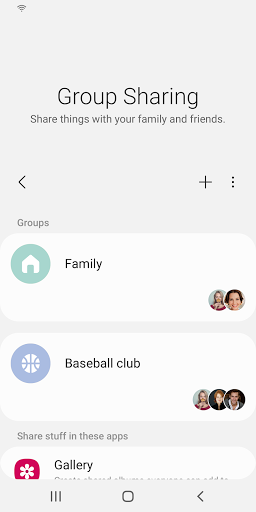
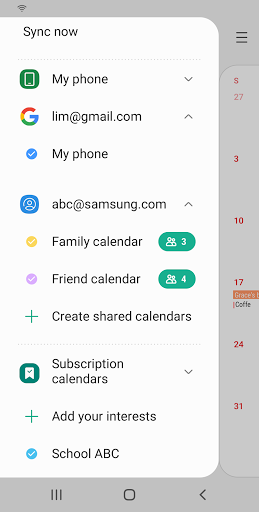
Group Sharing app is installed on Samsung Galaxy devices as a basic app. It is an application that allows you to share a variety of content with your family and friends on Samsung’s basic apps such as Gallery, Samsung Note, Calendar, and Reminder by using the share groups of Samsung accounts.
You can also share profile photos with your friends on the Contacts app.
Group Sharing app provides a variety of features to share content, and is constantly improving its usability through continuous updates.
[Main features of Group Sharing]
• Create and manage share groups from the Samsung account’s Group Sharing menu
• Shared albums on the Gallery app
• Shared calendars on the Calendar app
• Shared notes on the Samsung Note app
• Shared reminders on the Reminder app
• Share profile photos on the Contacts App
• Share Auto Hospots with family
* If the Group Sharing app is not updated or deactivated, some features of Samsung apps may not operate properly.
** Information on access permissions
Access permission as follows is required to offer the service.
In the case of optional access permissions, basic features of the service can be used even if they are not granted.
[Required access permission]
• SMS: Used for sending an authentication text message at the sign-up stage and automatic entry of the authentication number
• Telephone: Used for checking the device that the user is logged into
• Address book: Used for updating profiles of friends in saved Contacts or selecting a recipient list
• Calendar: Read the Calendar schedule and details
• Storage: Used for transferring or saving photos, videos, or files to a device
[Optional Access Permissions]
• Camera: Used for taking photos for the share group cover photo
If your device's OS version is lower than Android 6.0, you cannot choose whether to allow access permissions or not. Please check if your OS can be updated, then update to Android 6.0 or above.
After updating the OS, previously allowed access permissions can be reset through the device’s Settings > Apps menu.
----
Developer contact information:
02-2255-0114


Related Applications






Users Also Installed







Similar Applications