- Applications
- Personalization
iPhone Keyboard
| Install | 16 K |
| From 12 Rates | 2.4 |
| Category | Personalization |
| Size | 18 MB |
| Last Update | 2026 August 28 |
| Install | 16 K |
| From 12 Rates | 2.4 |
| Category | Personalization |
| Size | 18 MB |
| Last Update | 2026 August 28 |
Images


Introduction
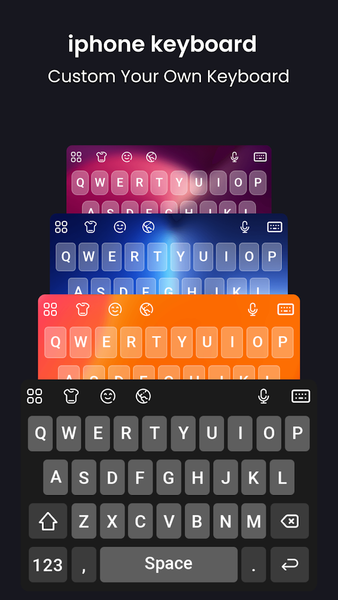
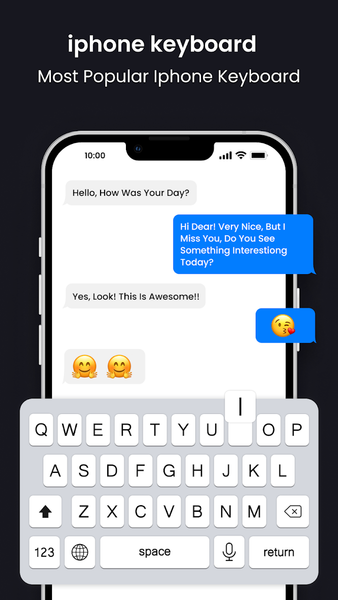
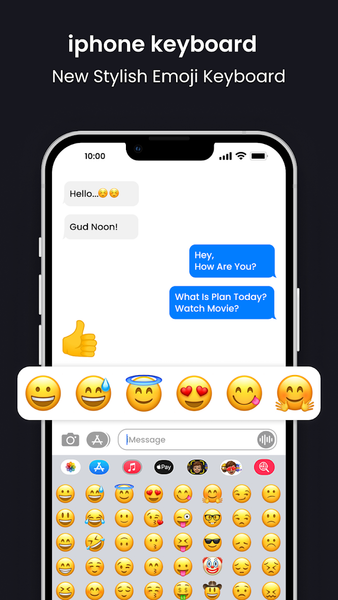
iPhone Keyboard iOS 26 brings an iPhone-inspired keyboard experience to your Android device with a modern design, smooth typing, and customization options.
Enjoy a clean keyboard interface, emoji support, voice input, gesture typing, and a variety of themes to personalize your typing experience.
Features:
• iPhone-inspired keyboard design with smooth animations
• Emoji, emoticon, sticker, and GIF support
• Stylish font collection
• Gesture typing for faster text entry
• Keyboard themes and background customization
• Voice typing support
• Auto-correction and word suggestions
• Keyboard wallpapers and visual customization options
• Swipe typing and predictive text features
• Colorful themes and keyboard layouts
• Symbols, emojis, and sticker collections
• Responsive keyboard keys and smooth performance
• Compatible with modern Android devices
How to Use:
Install and open the application.
Tap the Apply button.
Enable the keyboard in your device settings.
Select iPhone Keyboard iOS 26 as your default keyboard.
Customize themes, fonts, wallpapers, and emoji styles.
Use iPhone Keyboard iOS 26 to personalize your Android typing experience with a modern keyboard design and useful typing tools.


Related Applications





Users Also Installed






Similar Applications