- Applications
- Tools
Status Saver - Download Status

| Install | 130 K |
| From 582 Rates | 4.7 |
| Category | Tools |
| Size | 31 MB |
| Last Update | 2026 August 27 |

| Install | 130 K |
| From 582 Rates | 4.7 |
| Category | Tools |
| Size | 31 MB |
| Last Update | 2026 August 27 |
Images

Introduction
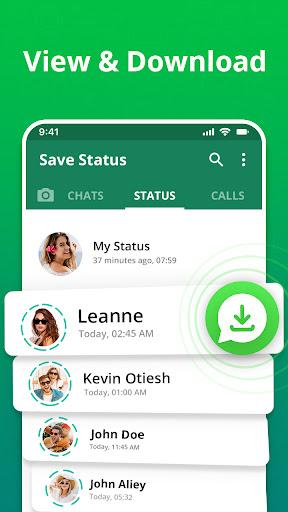
Looking for a fast and reliable status saver to save your favorite status updates? Status Saver is the ultimate status downloader app that helps you easily download video status, photo status, and stories from your contacts. With this powerful status saver app, you can save any status instantly, keep it securely in your local gallery, and watch or share it later with your friends and family. It works seamlessly as a complete video status saver, image status saver, and story downloader all rolled into one simple, lightweight tool.
⚡ Save and Share Status in Seconds
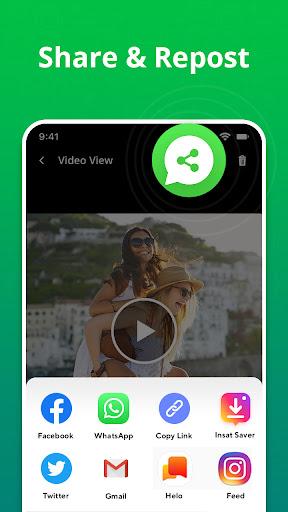
This status saver gives you a beautifully simple way to save multiple video statuses, photo statuses, and story updates with just one tap. Never miss out on a hilarious video or a beautiful memory shared by your loved ones. You can easily share downloaded content directly with friends, repost stories to your own profile, or simply keep them offline in your phone's gallery to view whenever you want.
📸 Video & Photo Status Downloader
We know how important it is to keep things organized. That is why our app provides dedicated, separate tabs for your video status and photo status. You can preview everything before saving using our high-quality built-in image viewer and video player. Whether it is short funny clips, family photos, or engaging GIFs, this status downloader saves everything quickly and in high definition.
⭐ Main Features You Will Love
✔️ One-tap to download status videos and photos in HD quality
✔️ Separate, organized tabs for video statuses and image statuses
✔️ Built-in HD video player and smart photo viewer for easy previews
✔️ Repost or share saved statuses instantly to any social media platform
✔️ Save unlimited status updates and stories from your contacts
✔️ Easily manage and delete saved items you no longer need to free up space
✔️ Lightweight, fast, and incredibly user-friendly interface
🛠️ How to Use Status Saver - Status Downloader
1. Open the original app and view the available statuses you wish to save.
2. Open our Status Saver app to see all your recently viewed statuses automatically appear.
3. Tap on any video status or photo status you want to save to your device.
4. Click the download button at the bottom to store it directly in your phone's gallery.
5. Repost, share, or watch your beautifully saved status stories offline!
🏆 Why Choose This Status Saver App?
- Simple, fast, and efficient video status downloader that never slows down your phone.
- 100% reliable photo status saver for crisp images and animated GIFs.
- Save and organize all your favorite statuses directly in your phone gallery with no hidden folders.
- Repost and share inspiring stories anytime without asking your friends to send the files to you again.
- Access all your carefully saved statuses offline, anywhere and whenever you want, even without an internet connection.
❓ Frequently Asked Questions (FAQ)
Where are my videos and photos saved?
All downloaded statuses are saved directly to your phone's internal storage in a dedicated "Status Saver" folder, which is easily accessible from your phone's Gallery app.
Do I need the internet to view saved statuses?
No! Once you click download, the files are saved locally on your phone, allowing you to view them completely offline.
📞 Need Help or Have Feedback?
We are dedicated to providing the best experience possible! If you encounter any issues, have suggestions for new features, or just want to reach out, please contact our support team at officetools360@gmail.com. We are always happy to help!
⚠️ Disclaimer
This Status Saver - Status Downloader is an independent app and is not affiliated, sponsored, or endorsed by any third-party messaging platform. Please respect the copyright of the creators and always get permission from the original content owner before saving, sharing, or reposting any media or stories. We are not responsible for any kind of re-usage of any media downloaded by the user.


Related Applications








Users Also Installed








Similar Applications