- Applications
- Personalization
ColorCall: Video Call Screen

| Install | 46 K |
| From 57 Rates | 3.6 |
| Category | Personalization |
| Size | 6 MB |
| Last Update | 2026 August 28 |

| Install | 46 K |
| From 57 Rates | 3.6 |
| Category | Personalization |
| Size | 6 MB |
| Last Update | 2026 August 28 |
Images


Introduction
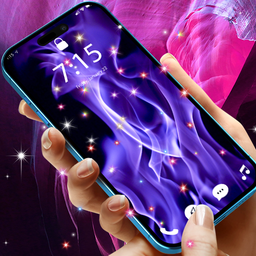
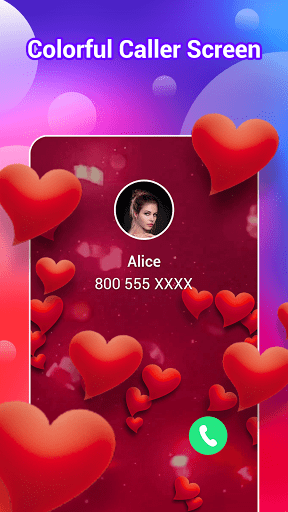
Make incoming calls feel more personal with ColorCall. Choose a video and set it as your incoming call screen, turning the standard call display into a video caller screen that matches your style.
Personalize your incoming call screen
• Choose a video for your incoming call display
• Apply it as the background shown for incoming calls
• Give your phone a distinctive caller screen
• Switch to another video whenever you want a new look
Explore video styles for every mood
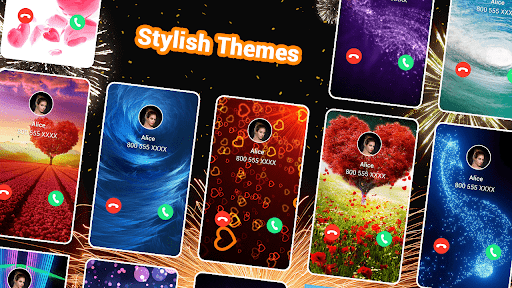
Choose from a variety of visual themes and find a video call screen that fits your personality:
• Cool effects — bold motion, vivid colors, neon light, and futuristic visuals
• Anime-inspired art — expressive illustrations, colorful scenes, and character-style designs
• Gaming-inspired character art — energetic heroes, digital avatars, and action-themed visuals
• AI 3D designs — imaginative 3D figures, cinematic depth, and modern digital art
• Particle effects — flowing light, glowing sparks, and eye-catching motion
Try different styles to match your mood, refresh your phone's look, or make the incoming call display feel more distinctive. From colorful animated scenes to sleek 3D visuals, each theme turns an everyday call into a more personal visual experience.
Easy to set up
1. Open ColorCall and choose a video.
2. Apply your selection.
3. See the video when an incoming call arrives.
Whether you prefer a vivid, relaxing, fun, or stylish look, ColorCall gives you a simple way to customize the screen shown when your phone receives a call.
ColorCall has one clear purpose: helping you personalize incoming calls with video. Choose a video call screen you like and give your incoming call display a look that feels like yours.
Please note: Availability and appearance may vary depending on your device model, Android version, and system settings. ColorCall may require relevant permissions to show your selected video when calls arrive.


Related Applications









Users Also Installed






Similar Applications